The best AI tools for creative businesses save measurable time at a price you can justify and carry licence terms that permit commercial use. Start with a single design tool, such as Canva, and add others only when a task keeps repeating.
Logo work has its own specialist tools, and Best AI Logo Generator 2026: How To Pick The Right Tool For Your Brand compares them. The rest of this guide helps you decide which categories of tool deserve a subscription at all, and which can stay on a free plan or be skipped.
Decision criteria for choosing AI tools
AI tools are software applications powered by machine-learning algorithms that automate tasks and analyse data, as UXPin’s guide to AI tools for designers defines them. Generative AI, the kind that produces draft images, copy and layouts on request, sits inside that definition. For a small creative business the useful question is not how impressive a tool is, but whether it earns its place in your week. Four criteria settle most decisions.
Time saved against manual work
UXPin lists time saved as a core usefulness test: measure how much time the tool saves compared with doing the same job by hand. In practice that means choosing one recurring task, such as a weekly set of social graphics, and comparing your normal process with the tool-assisted one. If the saving is small or the cleanup afterwards is long, the tool is a hobby, not an investment.
Reviewers give concrete illustrations of what a saving looks like. Sieva’s weekly AI tool guide describes a user who makes property listing graphics in Canva and saves 30 minutes per listing. That is an estate-agent example rather than a creative studio’s, so treat it as a model for how to frame your own measurement, not as a promise. The same guide reasons that if you produce three or more designs per week, Canva Pro saves enough time to justify its cost. Below that volume, the free plan is the sensible default.
Cost and return
UXPin pairs the time test with a financial one: consider the financial impact of the tool, comparing its cost with the time saved and any gain in quality. Toolnixai’s comparison of AI design tools for small businesses reports that pro plans typically range from $10 to $20 per month, depending on the level of features. A single plan in that band is easy to absorb. The risk is accumulation, and the same review warns that subscription costs can add up if you need premium assets.
Two habits keep spending honest. Pay for a tool only after a free tier or trial has shown a task getting faster. And judge each subscription separately against the work it replaces, rather than approving it because the monthly figure looks small beside the rest of your costs.
Commercial licensing
Anything you sell, or use in client work or advertising, should come from a tool whose terms allow commercial use on the plan you actually hold. Free tiers, paid tiers and premium asset libraries can each carry different conditions, so read the vendor’s own terms and pricing pages rather than a third-party summary. Ownership and protection of AI-generated work is an area where you should also check your national copyright office’s guidance, particularly if you want to rely on exclusivity for a design, a character or a brand mark. Save a copy of the terms that applied when you produced important work, and take professional advice before building a product line on AI output you cannot legally defend as yours.
Accuracy of what the tool produces
Generated output is a draft. LivePlan’s ranking of AI business plan tools advises never to trust AI-generated data and numbers blindly. Names, prices, dates, product claims and any statement about a client should be checked against a source you control before they reach a customer. Treat the tool as a fast first pass and keep the final edit for yourself.
Start with the job, not the tool
The quickest route to a good stack is to name the task that eats the most hours and work outward from there. Each branch below ends in a recommendation and a condition for when it does not fit.
Graphics, social posts and branding
Toolnixai places Canva Pro under social media and branding and rates it very easy to use. For a business owner without design training this is the most direct starting point. AI Money Hustle’s guide to AI digital product tools says Canva’s AI helps you build polished, on-brand templates without needing a graphic design degree. Sieva adds that Pro unlocks magic resize, which converts one design to fit every social platform automatically, plus 100GB of storage.
- Choose Canva if you publish regularly across several social platforms and want one place for templates, resizing and brand consistency.
- Consider Snappa if your need is narrower: toolnixai lists it for quick graphics and ads and rates it very easy to use.
- Stay on the free plan while your volume is low. Sieva describes Canva’s free tier as limited, but its broader point stands: paid plans are not mandatory and free versions are genuinely useful.
Collaborative interface and layout design
Figma is listed by toolnixai for collaborative UI design, with a free tier and a paid plan priced per editor, and a medium ease-of-use rating. That rating matters. Figma rewards people who already think in components, frames and shared files, and it is less of a one-click graphics shortcut than Canva.
- Choose Figma if you design websites, apps or product interfaces, or if several people need to work in the same file.
- Look elsewhere if your work is mostly posts, flyers and printables. Per-editor pricing and a steeper learning curve add cost without adding much speed.
- Start on the free tier and add editors only when a collaborator needs to make changes rather than just comment.
Writing, editing and admin assistants
Sieva covers the general assistants a small business is most likely to meet. Claude has a limited free tier and a Pro plan described as unlimited use. ChatGPT has a Plus plan for the latest models. Grammarly has a basic free version and a Pro plan that costs less on annual billing than month by month. Exact prices sit in the comparison table below.
- Use an assistant for first drafts of product descriptions, newsletter copy, client emails and outlines that you will then rewrite in your own voice.
- Add Grammarly if you publish a lot of written work and want a final proofing layer after drafting.
- Do not stack all of them. Pick a single assistant, use it for a full working week on real tasks, and only then consider whether a second one fills a gap.
Repeating tasks and handoffs
If you copy the same information between apps every week, such as moving a form submission into a spreadsheet and a task list, an automation tool can give back time. Sieva lists Zapier with a free plan of 100 tasks per month and a maximum of two steps, and a Professional plan at £19.99/month, billed annually, with 750 tasks. The free plan is enough to test a single simple automation. Move up only when your workflow needs more steps or more volume than the free allowance gives you.
Tool comparison at a glance
The table brings together the tools above on price and fit. Prices are as reported by two reviewers, in the currencies they used, and vendors change plans often, so confirm the figure on each vendor’s own pricing page before you buy.
| Tool | Best suited to | Reported price | Ease of use | Planning use |
|---|---|---|---|---|
| Canva | Social media and branding | Free tier (limited); Pro $12.99/month, or £10.99/month in the UK | Very easy | Default first design tool; Pro adds magic resize and 100GB storage |
| Figma | Collaborative UI design | Free tier; $12/month per editor | Medium | Worth it for interface work or shared files, not for simple posts |
| Snappa | Quick graphics and ads | $19/month | Very easy | Narrow alternative if you only need fast ad graphics |
| ChatGPT | Drafting and general assistance | Plus £20/month for the latest models | Not rated | Pick a single assistant and test it on real writing tasks |
| Claude | Drafting and general assistance | Free tier (limited); Pro £16/month for unlimited use | Not rated | Compare against your first assistant before paying for both |
| Grammarly | Proofing written work | Free (basic); Pro £12/month on annual billing, £19/month monthly | Not rated | Annual billing is cheaper if you will use it all year |
| Zapier | Automating repeat tasks | Free (100 tasks/month, max 2 steps); Professional £19.99/month (billed annually, 750 tasks) | Not rated | Test a single automation on the free plan first |
Figures come from Toolnixai’s AI design tools comparison and Sieva’s weekly AI tool guide.
Two patterns stand out. First, the design tools cluster inside the typical pro-plan band of $10 to $20 per month, so the decision between them should rest on the work you do, not on a small price gap. Second, billing period changes the real cost: Grammarly’s annual rate is lower than its monthly rate, which favours a commitment only for tools you are sure you will keep. Currency also matters. Canva appears in both dollars and pounds, so compare like with like.
Building a portfolio website
There is no single best website builder for a creative portfolio, because the right choice depends on what the site must do. A simple, fast online presence is a different job from a gallery that sells prints or takes bookings. For the first kind, AI Money Hustle names Durable.co and 10Web as tools for building a simple, AI-generated website or landing page. That route suits a freelancer who needs a credible page up quickly and will refine it later.
Judge a builder on what you need to show and do. Image-heavy work needs good gallery handling. A service business needs a way to take enquiries or appointments. A product business needs a checkout. When you want a full comparison rather than a starting point, the guide to the best website builder for portfolio sites weighs the options in detail. Photographers who deliver and sell images to clients may want something more specific, and the guide to the best online gallery for photographers covers that case.

A site is also only part of the business machinery. Once clients start asking for appointments, the guide to the best online booking system for small business helps you choose a scheduler. Once invoices start arriving, the guide to the best accounting software for freelancers helps you keep the paperwork in order. Add those layers when the work demands them, not before the site exists.
Selling creative products online
Selling creative products online starts with deciding what kind of product you are making, because that determines the tools and the risk. Digital products, print-on-demand items and made-to-order physical goods each need a different set-up.
Digital products and printables
AI Money Hustle calls Canva AI one of the best AI design tools for selling printables, and links that to its ability to build on-brand templates without formal design training. Printables, templates and planners suit a beginner because the product is a file. There is no stock to hold, and the time cost sits almost entirely in design and listing. This is also where licensing deserves the closest attention: if a template includes premium assets or AI-generated elements, confirm that your plan permits you to resell the finished file.
If you want to teach as well as sell downloads, the comparison of the best platform to sell online courses and digital downloads is the next step to read.
Print-on-demand and artwork
If you have illustrations or designs but do not want to handle production, print-on-demand lets a service print and ship items for you. Compare services on product range, print quality and margins; the guide to the best print on demand sites for artists sets them side by side. It suits an artist who wants to test whether a design sells before committing money to inventory.
Made-to-order physical products
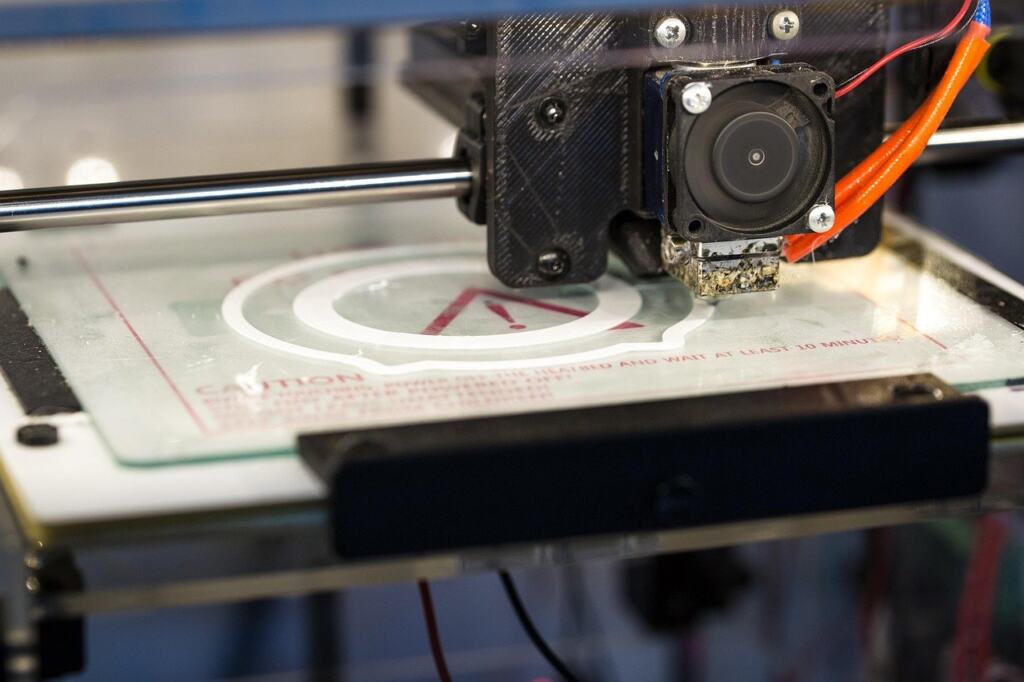
Making things yourself gives control over quality and design, but equipment becomes a real business decision. For ideas on what sells, 3D Printing Ideas To Sell: 25 Profitable Products And How To Start In 2026 is a practical starting point. When you are ready to buy a machine, the guide to the best 3d printer for small business covers printers and software, and the guide to the best laser cutter for small business covers cutting and craft machines.
If you want a cheaper way to experiment before buying a printer, 25 Fun 3D Printing Pen Ideas To Make Today (Easy Projects For Beginners To Pros) shows what hand-held tools can make. A pen helps you test whether you enjoy the craft; it is not a production method, so move to a printer or cutter only when demand justifies the outlay.
Video, music and audio
Moving-image and sound tools are the most tempting category and the one where a small business is most likely to pay for something it does not need. Add them when a client or your audience is asking for the output, not because a demo looks impressive. Because video and music are often used in adverts and paid campaigns, check commercial-use terms on the specific plan before publishing anything.
- Video from scratch: Best AI Video Generators 2026: Top Tools, Use Cases, and How To Choose compares the main options and the situations each suits.
- Video from photos: if you already have strong stills, Create Cinematic Clips From Photos: The Best Free AI Photo‑to‑Video Generators (2026 Guide) shows how to animate them without a paid plan.
- Music and lyric videos: Make Music With AI: The Best Online Generators, Uses, and How To Start in 2026 covers generating tracks, and Create Stunning Lyric Videos With Free AI Tools: A Practical 2026 Guide covers turning them into visuals.
- Podcasting: if audio is your channel, the guide to podcast equipment for beginners covers the hardware and software you need before AI plays any part.
Keeping the stack lean
The pattern that works for small creative businesses is gradual. Begin with a design tool and a single assistant, test each against real work, and let the next addition be pulled in by a bottleneck rather than pushed by novelty. Overlap is the usual waste: two assistants, or a design tool plus a second graphics app that does the same job, double the cost without doubling the output.
Review what you pay for whenever your workload changes. A tool that earned its place during a busy season of launches may not justify a subscription during a quiet one, and annual billing only helps if the tool will be in use all year. When a plan no longer pays for itself, drop to the free tier and keep your files, templates and brand assets organised so you can return to it later.
Frequently asked questions
Is Canva or Figma the better starting point for a small creative business?
Canva suits most small businesses because it is rated very easy to use and aimed at social media and branding. Figma is rated medium for ease of use and is built for collaborative interface design, so it fits web and app designers better than people making posts or printables.
Can I use AI to draft the figures in a business plan?
You can use it for a first draft, but check every figure yourself. LivePlan advises never to trust AI-generated data and numbers blindly. Its listing for ChatGPT shows a free tier, a Plus plan at $20 per month and a Team plan at $25 per user per month, so a free draft is a reasonable place to start.
Why do prices for the same tool differ between reviews?
Reviewers quote different currencies, markets and billing periods. Canva Pro appears at $12.99 per month in one comparison and £10.99 per month in the UK in another, and Grammarly Pro is cheaper on annual billing than month by month. Always confirm the price on the vendor’s own page for your country and billing choice.