What is the best AI logo generator for a small brand? Looka’s one-time $72 package, which includes vector files and full commercial ownership, is a strong default. Wixel’s free plan suits tight budgets.
This guide sits within our wider look at the best AI tools for creative businesses. It judges generators on price, file formats and commercial rights, not on how polished the first concepts look.
Why price, files and rights decide the winner
Every generator turns a short brief into logo concepts, so the first screen of results rarely separates one tool from another. One 2026 comparison of AI logo tools makes the same point: if logos were the only deliverable, the tools would be roughly comparable in 2026. The real differences appear at checkout and export. A HubSpot review of AI logo generators names format coverage as a criterion because a logo has to work across all distribution channels.
That leaves three questions to ask of any tool before you commit to it:
- What does it cost, and how often? A one-time purchase, a yearly subscription and a monthly AI plan behave very differently once you count past the first month.
- Which files do you receive? A raster PNG covers a website. A vector master is what you need for print, signage and merchandise.
- What are you allowed to do with the result? Ownership and commercial-use wording differ by vendor and should be read before you print anything.
Tool comparison: price and file formats
The table below puts the main options side by side on the two things that change a small brand’s decision most: what you pay and what you can export.
| Tool | Price | Files and editing | Planning use |
|---|---|---|---|
| Looka | $35 or $72 one-time logo packages; Brand Kit $96/year ($129/year with a website) | Vector files with the $72 package | Best fit when you want files and ownership for a single payment |
| Wixel | Free plan with 120 AI credits a month; paid plans $90 to $590/year | High-res PNG and SVG downloads on the free plan | Try it first if you need an SVG without paying |
| Shopify Logo Maker | Free | PNG files only | Fine for a quick web placeholder; not a print master |
| Canva | Free plan with 50 AI design credits monthly; Canva Pro $15/user/month with 150 credits | Selected logo opens in Canva’s editor; AI-generated elements can’t be modified there | Suits teams already designing in Canva, once the concept is final |
| ChatGPT | Plus $20/month; Pro $200/month | No direct vector file generation | Useful for exploring ideas, weak as a source of final files |
| Gemini | Free image generation with limits; $20/month for image and video generation | No direct vector file generation | Same role as ChatGPT: concepts, not masters |
| Vellem | Kit $95, Kit Lite $39, Studio $195, all one-time | 1024px PNG marks, not vector; no logo editor after purchase | Pick it for a wider identity set, not for scalable files |
Prices and file details come from a 2026 comparison of AI logo tools and a HubSpot review of five AI logo generators.
Canva deserves a specific warning. In the HubSpot review, the reviewer could click a logo they liked and open it in Canva’s editor, but could not modify the AI-generated elements within it. Settle the concept before you move it across, because editing after generation is limited.
Vector files and what you actually receive
Vector files are the master format a designer or printer can work from, which is why they matter more than the preview you see on screen. The pack separates the tools clearly. Looka offers vector files with its one-time $72 package, and Wixel’s free plan includes SVG downloads. Shopify Logo Maker downloads PNG files only, and Vellem’s marks are 1024px PNGs with no vector output. ChatGPT and Gemini both lack direct vector generation, according to the HubSpot review.
The practical rule is to match the file to where the logo will live. A website header or social avatar can live with a PNG. A logo that goes on cards, labels, signage or products needs a vector master from day one. If you sell physical goods, such as the products in 3D Printing Ideas To Sell: 25 Profitable Products And How To Start In 2026, treat vector export as a requirement, not a bonus.
Commercial rights and trademark questions
Can you use an AI-generated logo commercially? It depends on the vendor’s terms. Looka’s $72 package and its Brand Kit both come with full ownership, and Vellem positions its one-time pricing with full commercial rights, per the 2026 comparison. For Canva, Wixel, Shopify, ChatGPT and Gemini, read each provider’s own terms page before you build a brand on their output, and check whether the free tier carries different conditions from the paid one.
Keep two things apart. A generator’s licence tells you what the vendor lets you do with the file. It does not register the logo as a trademark, and it does not guarantee that nobody else already uses a similar mark. If the brand will carry real weight, search the trademark register for your market before you print stock, and ask a qualified adviser if the name or mark is central to your business.
Cost over time
The cheapest sticker price is not always the cheapest outcome. Looka’s logo packages are one-time purchases at $35 or $72, while its Brand Kit is a yearly subscription at $96/year. Over three years that Brand Kit comes to $288, compared with a one-time $95 for Vellem’s Kit, according to the comparison.
What that means for a small brand:
- Choose a one-time package if you mainly need logo files and clear rights. This is the case the $72 Looka package addresses.
- Choose a subscription only if you will use the extras. The Brand Kit makes sense if you want its 300+ branded templates and are comfortable renewing $96/year.
- Treat general AI subscriptions as exploration costs. ChatGPT Plus at $20/month and Gemini at $20/month give you image generation, but neither yields vector files directly, so you may still need another tool to produce the final master.
- Test free tiers first. Wixel’s free plan and Canva’s free plan with 50 monthly AI design credits let you compare output before any payment.
Choosing a tool in order
Work through the decision in this order, because each step narrows the shortlist for the next.
- List every place the logo will appear. Screen only means PNG may do; print or products means vector.
- Remove tools that cannot export what you need. That rules out PNG-only and no-vector options for print work.
- Check the rights wording. Prefer a vendor that states ownership or commercial rights plainly.
- Compare cost over the period you will keep the brand, not just the first payment.
- Run the same brief through your remaining tools and judge the results side by side before you pay.
Writing a brief that gets usable concepts
Because tools are comparable on concepts, the quality of your brief does more work than the choice of tool. Give every generator the same inputs so you can judge them fairly:
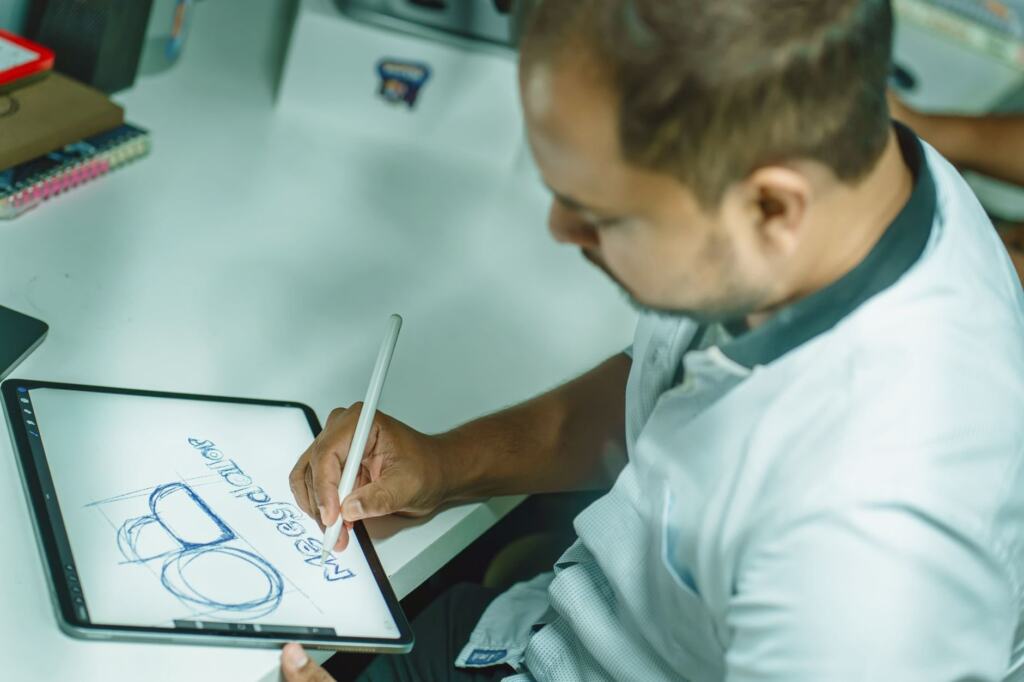
- Brand name and industry: the exact name, plus a one-line description of what the business does.
- Style adjectives: a few focused words such as modern, bold or minimal. Conflicting adjectives produce muddled marks.
- Colours: one or two primary colours rather than a long list.
- Mark type: an icon, a letterform or a wordmark.
- Must-haves and deliverables: constraints such as no gradients, and the file types you expect to receive.
Judge the shortlist by looking at each mark in a single colour and at small size before you spend money. A mark that reads clearly in monochrome is more likely to survive on a card, a label or a mug.
Frequently asked questions
Is a free AI logo generator good enough?
Sometimes. Wixel’s free plan includes high-res PNG and SVG downloads, and Shopify Logo Maker is free but gives PNG files only. Gemini offers free image generation with limits. Check the commercial terms of any free tier before relying on it for a real brand.
Can ChatGPT or Gemini make a logo I can send to a printer?
They can help you explore ideas, but both are reported to lack direct vector file generation. For print, pair them with a tool that exports vectors, or choose a generator that offers vector output from the start.
Is a brand identity kit worth buying?
Only if you need more than a logo. Looka’s Brand Kit adds 300+ branded templates for $96/year, while Vellem’s Kit supplies a logo family and 18 coordinated assets for a one-time $95. Vellem’s marks are 1024px PNGs with no editor after purchase, so factor that in if you expect to adjust the logo later. Details come from the 2026 comparison.