A musician with a finished track and no video budget can try a lyric video generator ai free, but free usually means a way to start, not unlimited output. Check limits, watermarks and music rights before publishing.
This guide sits within our wider look at the best AI tools for creative businesses. It judges lyric video tools by their limits and licensing terms rather than by how polished their demo clips look.
What free means on lyric video tools
The most common misunderstanding is that a tool labelled free lets you finish and publish a video at no cost. The vendor pages show a wider range. CapCut’s lyric video page offers a free download, Pixazo gives users a free option to try its generator, and ElevenLabs states that video generation requires a paid plan. Treat free as an entry point, and test a short export before you build a release around any one tool.
| Common assumption | What the vendor pages show | Planning use |
|---|---|---|
| Free tools are free at every stage | Pixazo offers a free option to try, with paid plans adding capabilities and higher resolution. ElevenLabs requires a paid plan for video generation. | Run a trial render first and budget for an upgrade if you need higher resolution. |
| The AI designs every frame to order | Pixazo’s visual themes, fonts and motion styles are based on available presets, with no frame-level control. | Good for quick social clips; poor fit for bespoke typography. |
| One prompt returns a batch of videos | Each Pixazo prompt produces a single lyrics video at a time. | Plan one generation per variation you want to compare. |
| Output suits every platform automatically | Pixazo says generated videos are optimized for YouTube, Instagram, TikTok and other platforms. | Still confirm the aspect ratio on a test export before uploading. |
The limits above come from the Pixazo lyric video generator page and ElevenLabs’ AI lyrics generator page.
Preset-driven styling is the trade-off for speed. If your song needs hand-timed motion on specific words, a preset tool will frustrate you. If you need a watchable visual for a demo or teaser, presets save hours.
Tools to test before you commit
Each tool below starts from a different input, so the best choice depends on what you already have: a recorded song, a lyric sheet or a track made inside the same platform.
CapCut
CapCut’s lyric video creator offers a free download, automatically detects and extracts lyrics from songs in multiple languages, and includes a library of royalty-free music and effects. It suits creators who would rather not type out and time every line by hand. Check export terms inside the app before you plan a final release around it.
Pixazo
Pixazo lets you paste lyrics as text and generates a visual video around them. That makes it a concept-first tool: useful when you have words and a mood but no footage. Beyond the free option, Pixazo’s pricing is ₹500 per month billed monthly, or ₹3999 per year, which it describes as saving 33.4% against monthly billing. Longer lyrics or more complex visual styles may need more processing time.
AirMusic
AirMusic listens to an uploaded song and creates a timed first draft of the lyrics, which you can edit. It can use your cover image as the full video background, offers vertical or square layouts, and exports MP4 files with the original audio track included. It suits a musician who already has a finished song and cover art. Confirm its current free allowance before relying on it for a release.
SongAI
SongAI works only on completed songs in your Song AI library, so it is a poor choice for a track recorded elsewhere. Each lyric video costs 5 credits and covers the entire song. Videos render vertically in 9:16 with your title and channel watermark baked in. It suits people already producing music on that platform.
ElevenLabs
Video generation on ElevenLabs requires a paid plan, so rule it out when the budget is zero. Its lyrics generator is a separate task, covered in the FAQ below.
Automatic lyrics are a draft, not a final sync
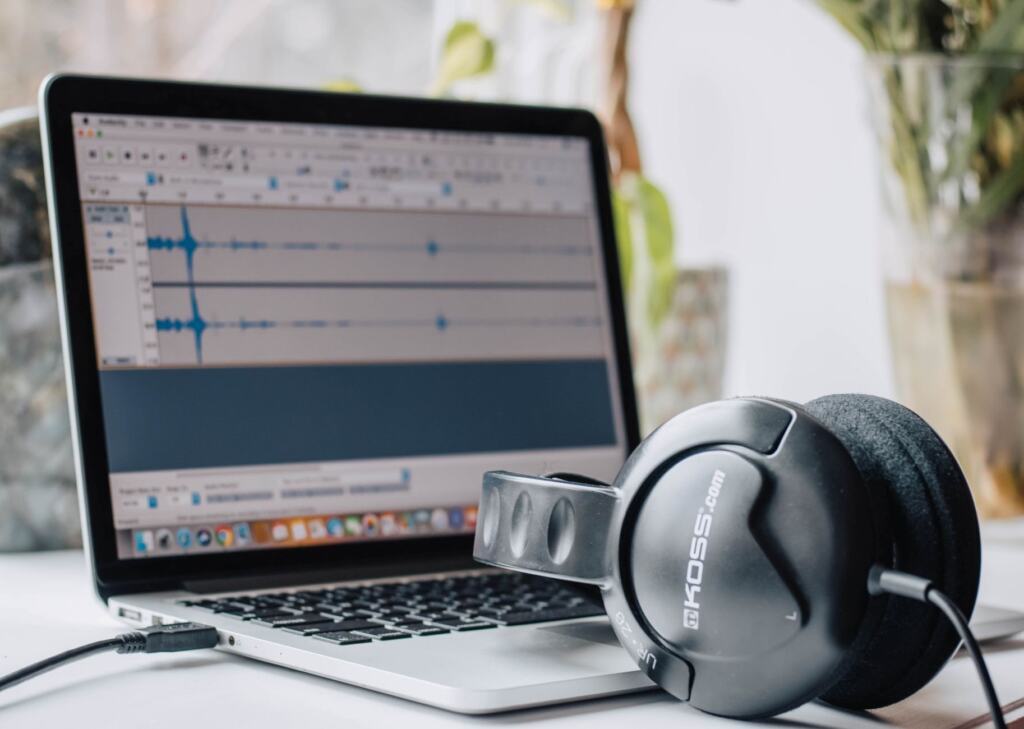
Another misunderstanding is that detected lyrics arrive finished. AirMusic says so plainly: automatic lyrics are a starting point, not a locked result. CapCut likewise describes detection and extraction rather than guaranteed accuracy. Listen through with your own lyric sheet beside you and correct each line before export, because both the wording and the timing come from detection.
Tools that start from pasted text, as Pixazo does, skip the detection step. You supply the words, so mistakes in the text are yours to catch, but you also avoid mishearings.
Format and length for each platform
Match the format to where the video will live. CapCut notes that short-form posts for TikTok or Instagram Reels usually run 15 to 60 seconds. That suits a chorus teaser rather than a full song. For a full-length video, AirMusic exports the whole song with its original audio, and SongAI’s single render covers the entire song.
Aspect ratio matters as much as length. SongAI’s vertical output fits TikTok, Instagram Reels and YouTube Shorts, while AirMusic offers vertical or square layouts. If you need a widescreen YouTube upload, check the options before you pick a tool. ElevenLabs states that its video outputs are MP4, though video generation requires a paid plan.
Music rights and commercial use
The riskiest misunderstanding is that an AI tool, or a royalty-free library inside it, clears the song you put in. CapCut’s page lists a library of royalty-free music and effects, yet states that creating a music video for a song without proper authorization from copyright holders can be illegal. It advises seeking legal advice and obtaining the necessary permissions and licenses before creating and distributing. Pixazo similarly asks users to ensure they have the appropriate rights or permissions for any content they publish.
For independent creators, this leads to a clear split:
- Your own original song: the permission question rests with you as the rights holder, so keep your files and lyric text together in case a platform asks.
- A cover or someone else’s track: get authorization from the copyright holders before you create or distribute, however the tool markets itself.
- Library music inside the tool: use it only as the vendor describes, and read the current terms before monetising a video.
On commercial use of the output itself, the vendor pages reviewed here place the rights check on the user and give no blanket permission. Read each tool’s current terms page before you run ads, sell the video or monetise a channel with it.
Choosing a workflow
Pick by the input you already have, then run one short test export to see what the free option really delivers.
- Finished song with cover art: start with AirMusic, or with CapCut if you want detection plus a wider effects library.
- Lyrics and a concept, no footage: try Pixazo, and accept preset styling in exchange for speed.
- Music already made in Song AI: use SongAI, because it works only with songs in that library.
- No budget at all: skip ElevenLabs video generation, which needs a paid plan.
Creators who also build physical props for a release can find hands-on starting points in 25 Fun 3D Printing Pen Ideas To Make Today (Easy Projects For Beginners To Pros). Once the video is finished, give it a permanent home by choosing the best website builder for portfolio work, so the release does not live on a single social feed.
Frequently asked questions
| Question | Answer |
|---|---|
| Can AI write the lyrics as well as make the video? | ElevenLabs offers an AI lyrics generator that creates song lyrics from inputs such as theme, genre and keywords. Its video generation is a separate step that requires a paid plan. |
| How long does a render take? | SongAI says most lyric videos render in under a minute, even for full-length songs. Pixazo says longer lyrics or more complex visual styles may need additional processing time. |
| Is a watermark always a drawback? | Not always. SongAI bakes your title and channel watermark into the video so your music stays branded, which can help a release shared on social platforms. |
| Is a free download the same as free exports? | No. CapCut offers a free download, but the page does not make that a promise about export terms. Check the app’s export options on a short test before you commit. |